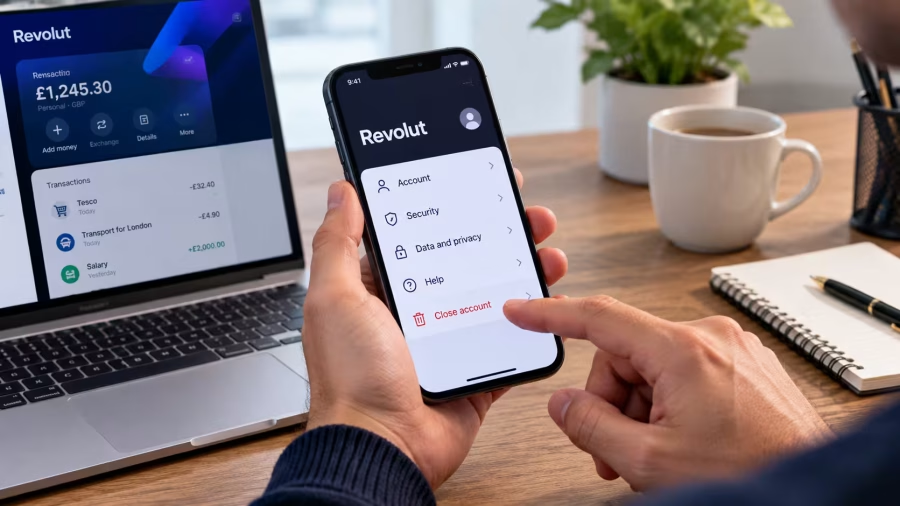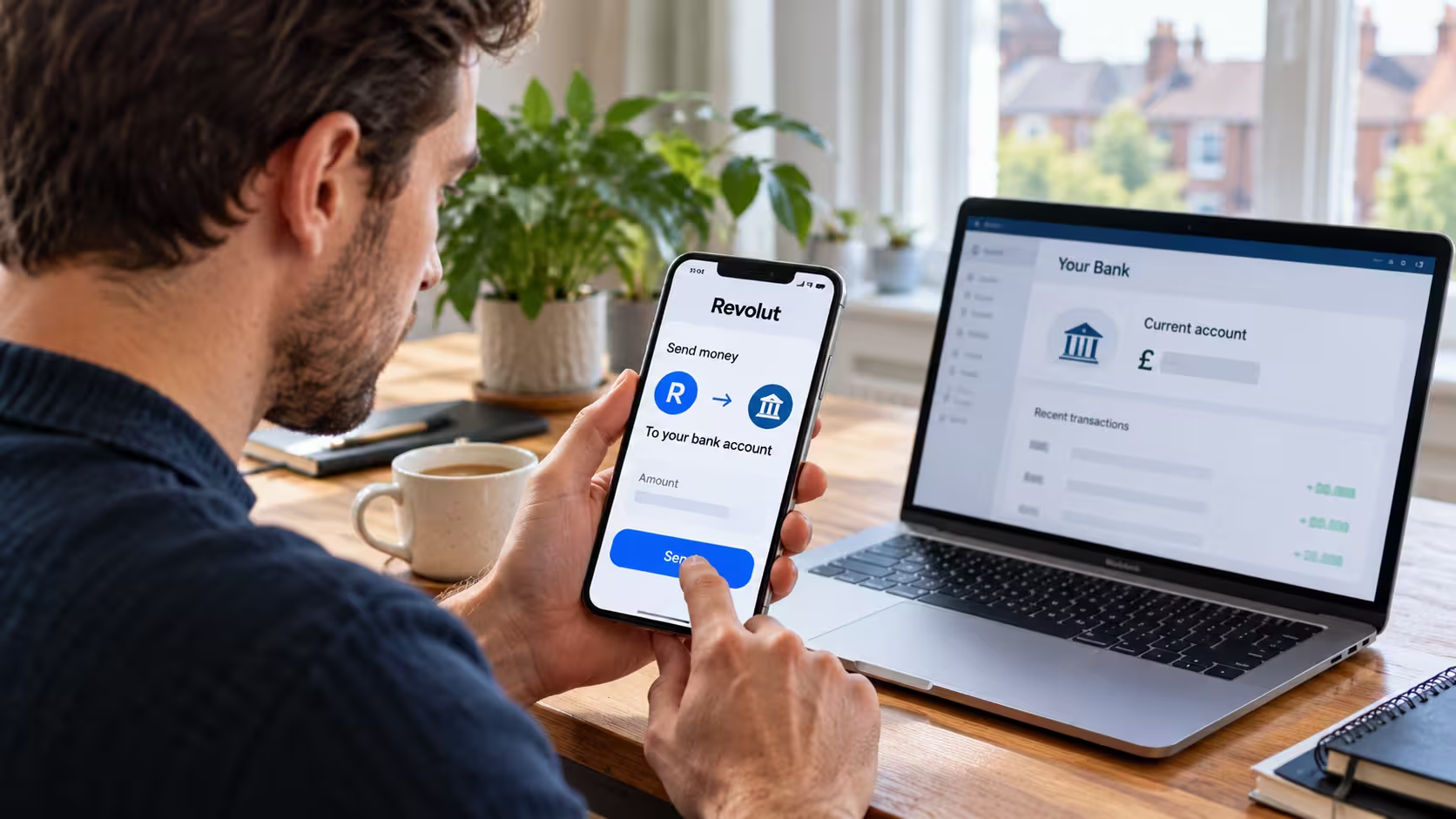
If you have money in your Revolut account and want to move it to Barclays, Lloyds, HSBC, NatWest, Santander, Monzo or another UK bank, you can normally complete the transfer directly through the Revolut app.
To transfer money from Revolut to your bank account, open the Revolut app, select Payments, tap the + icon, choose Bank, enter your bank account details, specify the amount and confirm the transfer.
Revolut does not charge a transfer fee for standard GBP bank transfers to UK accounts, and many payments arrive within seconds or minutes. However, some can take up to one business day.
The process works whether you are transferring money to another person or moving funds between two accounts in your own name.
This guide explains the complete transfer process, the information you need, transfer fees, limits, estimated arrival times and what to do if your payment does not reach your bank.
How Can I Transfer Money From Revolut to My Bank Account?
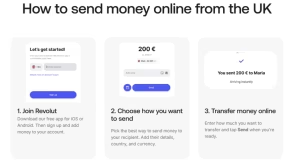
Moving money from Revolut to a traditional bank account is relatively straightforward because Revolut supports ordinary UK bank transfers.
You do not need to withdraw cash or close your Revolut account to access your money.
Before starting, make sure you have enough available funds and the correct details for the receiving bank account.
Step 1: Open the Revolut App and Select Payments
Open the Revolut app on your mobile phone and sign in using your usual authentication method.
Once you reach the home screen, look for Payments in the bottom navigation menu.
Tap Payments to access the section used for sending money to other accounts and recipients.
From here, you can review previous recipients or begin a new payment.

Revolut app showing the Payments option in the bottom navigation menu.
Step 2: Tap the Plus Icon to Add a Bank Account
Inside the Payments section, tap the + icon in the upper-right corner.
Select Bank to start a transfer to a UK account.
Depending on your app version, you may see options such as Bank, Bank recipient or International.
For a normal transfer to your own UK account, choose the UK bank transfer option rather than an international payment.
If you have previously transferred money to the same bank account, you may be able to select it from your saved recipients.
Step 3: Enter Your Bank Account Details
The next step is entering the details of the bank account that will receive the money.
For a normal UK bank transfer, you will usually need:
- Account holder name: The name registered on your receiving bank account.
- Sort code: The six-digit code identifying the receiving bank.
- Account number: The eight-digit account number.
- Payment reference: An optional description that helps identify the transfer.
For example, someone transferring money from Revolut to their personal HSBC account should enter the account holder’s name, HSBC sort code and correct account number.
If the receiving account belongs to you, use the name registered with that bank.
Check every detail carefully before continuing.
Even a single incorrect digit could cause a transfer to fail, be delayed or potentially reach an unintended account.
Step 4: Enter the Amount You Want to Transfer
Once your bank account has been added, enter the amount you want to send.
For instance, if you have £800 available in Revolut and need £500 in your NatWest account, enter £500 as the payment amount.
Make sure GBP is selected if you are sending pounds to a GBP-denominated UK bank account.
You can also add a reference such as Personal Transfer or Monthly Savings.
Before confirming, Revolut should display the applicable transfer costs and estimated arrival time.
For an ordinary GBP transfer to a UK bank account, Revolut’s transfer fee should be £0.
If the payment requires currency conversion or international processing, additional charges may apply.
Step 5: Review and Confirm Your Transfer
The final screen allows you to review the information before sending the money.
Check the recipient’s name, account details, transfer amount, currency, fees and estimated arrival.
If everything is correct, tap Send and complete any requested security verification.
Revolut will then process the transfer and display its status in the app.
Step 6: Track the Money Until It Reaches Your Bank
After sending the payment, return to the relevant transaction in Revolut.
You should be able to view its transfer status and estimated arrival.
If the receiving bank supports notifications, you may also receive an alert when the funds are credited.
Once the money appears in the destination account, check the received amount against the amount shown on the Revolut transfer confirmation.
For the current app instructions, see Revolut’s official guide to sending money to a bank account.
Can I Transfer Money From Revolut to My Own Bank Account?
Yes. Revolut allows you to transfer money from your Revolut balance to an external bank account registered in your own name.
This is useful if you manage different accounts for everyday spending, savings, household bills or other financial responsibilities.
For example, you might use Revolut for international purchases and currency exchange but keep your primary salary and household-bill account with Lloyds.
You can transfer money between these accounts whenever you need to move available funds.
The process is the same as sending money to another person’s UK bank account. Simply add your own receiving account as the bank recipient.
Example: Transferring £500 From Revolut to Barclays
Suppose you have the following balances:
| Account | Balance before transfer |
| Revolut | £1,200 |
| Barclays | £350 |
| Amount transferred | £500 |
| Revolut UK GBP transfer fee | £0 |
After a successful £500 transfer, assuming no other transactions:
| Account | Balance after transfer |
| Revolut | £700 |
| Barclays | £850 |
| Total transfer cost | £0 |
This is an illustrative example of a standard UK GBP transfer without currency conversion.
You do not need to pay a separate withdrawal charge merely because you are moving the money to your own bank account.
How Long Does It Take to Transfer Money From Revolut to a Bank Account?
The arrival time depends on the receiving country, currency, banking network and whether additional security checks are required.
For UK accounts, Revolut commonly uses Faster Payments, a service designed for relatively quick electronic transfers.
Many domestic GBP transfers arrive within seconds or minutes.
However, Revolut’s official guidance states that sending a local transfer can take up to one business day.
Revolut Bank Transfer Times
| Transfer type | Indicative arrival time |
| GBP transfer to a UK bank | Often seconds or minutes; allow up to 1 business day |
| EUR SEPA Instant transfer | Usually within minutes |
| Regular EUR SEPA transfer | Up to 2 business days |
| International SWIFT transfer | Revolut lists up to 2 business days, although further processing can affect arrival |
These are general processing estimates rather than guaranteed delivery times.
You can check Revolut’s official transfer timeframes for more information.
Can Revolut Transfer Money on Weekends?
Yes, many UK Faster Payments transfers can be processed during weekends and bank holidays.
For example, a person transferring £100 from Revolut to Lloyds on a Sunday may receive the money within minutes if the banks process the transaction normally.
However, not every transfer is immediate.
Security checks, banking maintenance, recipient-bank processing and international payment networks can introduce delays.
Therefore, anyone transferring money to cover an urgent mortgage payment, rent or other fixed deadline should avoid relying on an instant arrival.
Does Revolut Charge a Fee to Transfer Money to a Bank Account?
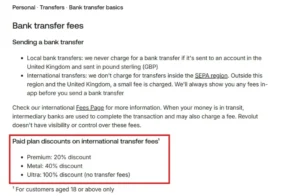
Revolut does not normally charge for GBP transfers to UK bank accounts.
However, the cost can change when the transfer involves another currency, an international destination or a different payment method.
Revolut Transfer Fees Explained
| Transfer method | Revolut fee |
| GBP to a UK bank account | Free |
| EUR transfer within SEPA | No standard bank transfer fee |
| Transfer outside the UK and SEPA | Transfer fee may apply |
| Transfer requiring currency exchange | Conversion charges may apply |
| International transfer through intermediary banks | Third-party charges may apply |
The exact cost depends on the transaction and the account plan.
An important distinction is that a free bank transfer does not necessarily mean a free currency conversion.
If you hold money in euros but need to send pounds to a UK bank, you may face exchange-related costs depending on your plan, exchange allowance and transaction timing.
Revolut displays applicable fees and exchange rates before confirmation.
Customers using Revolut regularly for overseas payments should evaluate the total amount the receiving account will get, rather than focusing only on the advertised transfer fee.
For context, our comparison of Revolut and Monzo for UK customers examines how the two platforms differ for everyday banking and international use.
How Do I Transfer Money From Revolut in Euros to My UK Bank Account?
If your Revolut balance is held in euros and your receiving UK account operates in pounds, the transfer may require a currency conversion.
You can choose the appropriate payment currency in the Revolut app and review the exchange rate before confirming the transaction.
Consider the following hypothetical example.
A person has €700 in Revolut and wants £500 to reach their UK current account.
Assume, purely for illustration, an exchange rate of:
€1 = £0.86
To deliver £500 before any additional costs, the amount required would be approximately:
£500 ÷ 0.86 = €581.40
If currency conversion fees apply, the total amount deducted could be higher.
This rate is only an example and is not a live Revolut exchange quote.
Before proceeding, check the live rate, the amount Revolut will deduct and the amount the receiving bank is expected to receive.
If your destination account can receive euros directly, it may be worth comparing the available transfer routes to avoid an unnecessary conversion. The best option depends on the receiving bank’s terms and any charges it applies.
What Is the Maximum Amount I Can Transfer From Revolut to My Bank?
Revolut supports large bank transfers, but not every payment has the same limits.
The available transfer amount may depend on the currency, recipient country, payment network, account restrictions and security settings.
Revolut says its app will identify when the amount entered exceeds the applicable maximum or falls below a minimum.
Some larger payments may also require additional verification or information about the funds.
For example, transferring £20,000 from Revolut to another UK account may involve a different level of review from transferring £50.
That does not mean every large payment will be delayed or declined.
Customers should check the amount permitted by the app and respond to any legitimate verification requests.
Revolut’s Wealth Protection settings may also impose transfer restrictions configured by the account holder.
Avoid splitting a large payment into smaller transactions to bypass security or compliance checks. Instead, resolve the restriction through Revolut’s official support process.
Why Is My Revolut Transfer to My Bank Account Pending?
A pending transfer means the payment has been initiated but has not yet completed all the necessary processing.
There are several potential explanations.
1. Additional Security Checks
Revolut may review a transaction to verify that it is legitimate.
This can happen with unusual payments, new recipients or transfers requiring additional verification.
Check the app for requests for more information.
2. Incorrect Bank Details
A wrongly entered sort code or account number can prevent a payment from being processed successfully.
Review the account information against the receiving bank’s records.
Do not assume that a name match automatically guarantees every account detail is correct.
3. Processing Delays at the Receiving Bank
Even when Revolut shows a transfer as completed, the recipient bank may need additional time to credit it.
A completed status generally means the money has left Revolut’s processing stage, not necessarily that it is already available in the recipient account.
4. Weekend or Bank Holiday Processing
Some international transfers and payment schemes operate according to business-day processing schedules.
A payment initiated on Friday evening may therefore take longer than a similar transaction initiated earlier in the working week.
5. Account Verification or Restrictions
An unverified or restricted account may prevent certain payments.
Revolut may require account holders to complete verification before allowing another transfer.
If the payment is declined, check the reason displayed in the app rather than repeatedly submitting the same transaction.
What Should I Do if Revolut Says Completed but My Bank Has Not Received the Money?
First, open the relevant payment in the Revolut app.
Check the transaction status, expected arrival date and recipient account details.
If the payment is still within the estimated timeframe, it may simply be processing normally.
If the expected arrival date has passed:
- Confirm that the recipient’s sort code and account number are correct.
- Check the receiving bank account for the incoming payment.
- Open the transfer in Revolut and download its transfer confirmation.
- Contact the receiving bank with the confirmation if the money has already left Revolut.
- Use Revolut’s in-app support or transfer-tracking features for further assistance.
Revolut explains that receiving banks can sometimes take an additional one or two business days to credit a payment marked as completed.
If the transfer has been returned, check its updated transaction status before sending another payment.
Important: Do not automatically repeat a transfer simply because the money has not appeared immediately. The original payment might still be processing, resulting in duplicate payments if you send it again.
Can I Cancel a Revolut Bank Transfer After Sending It?
Sometimes, but cancellation is not guaranteed.
Revolut says cancellation depends on the payment method, destination and how far the transfer has progressed.
To check whether a transfer can be cancelled, open the transaction and view its tracker.
If the payment remains eligible for cancellation, the app should display a Cancel option.
If no Cancel option appears, the payment may already be too far through processing.
In some eligible cases, customers can request a transfer recall through the support options in the app.
However, a recall is a request for the receiving bank to return the money. It is not a guaranteed reversal.
If money has been sent to the wrong person, contact Revolut promptly and provide the transaction details.
If the circumstances suggest fraud, report the payment as suspected fraud rather than treating it as an ordinary transfer delay.
Is It Safe to Transfer Money From Revolut to Another Bank?
Bank transfers through the official Revolut app are a legitimate payment method, but there are still financial risks associated with sending money to incorrect accounts or fraudulent recipients.
For personal transfers between accounts you own, most of these risks can be reduced by checking the receiving details carefully.
Before sending money, consider these precautions:
- Check the recipient’s full account details directly with the receiving bank.
- Pay attention to any Confirmation of Payee warnings.
- Never transfer money to a so-called safe account because someone claiming to represent a bank tells you to.
- Avoid sharing passwords, authentication codes or banking security information.
- Consider sending a small test transfer when adding an unfamiliar recipient for a substantial payment.
- Keep the transaction confirmation until the funds have arrived.
A detailed explanation of whether Revolut is safe for UK customers also covers banking regulation, fraud prevention and financial protection.
What Have Named Revolut Authors Recommended About Bank Transfers?
In an official article published on 22 October 2025, Clément Bolmont, the named author of Revolut’s guide to sending money to a bank account, emphasised the importance of checking receiving-account information before making a transfer.
The article explains that incorrect sort codes and account numbers can lead to payment delays or money being transferred incorrectly.
In another official Revolut guide published on 4 March 2026, Lydia Makin recommended making a small £1 test transfer when paying a new recipient a substantial amount.
That approach gives the sender an opportunity to confirm receipt before committing a larger payment.
These are published recommendations from identifiable authors of Revolut’s own educational material, not claims from interviews or customer surveys.
What Is the Difference Between Transferring Money and Withdrawing Cash From Revolut?
Transferring money from Revolut to a bank account is different from using a Revolut debit card to withdraw cash from an ATM.
A bank transfer moves funds electronically between financial accounts.
An ATM withdrawal converts part of your available balance into physical cash.
These methods can have different fees and restrictions.
| Feature | Bank transfer | ATM withdrawal |
| Destination | Another bank account | Physical cash |
| Bank details required | Yes | No |
| Available using Revolut app | Yes | Card or supported wallet generally required |
| Typical UK transfer fee | Free for GBP domestic transfers | Depends on plan and withdrawal allowance |
| Best use | Moving money between accounts | Accessing cash |
If your objective is to move money into another current account, a bank transfer is generally the more direct method.
Do I Need to Link My Bank Account to Revolut Before Transferring Money?
No. You can normally send money to a UK bank account by entering its recipient details directly.
Revolut also provides account-linking functionality for supported external financial institutions, but linking an account through Open Banking is not necessarily the same thing as adding it as a transfer recipient.
For example, you might link your HSBC account to view certain banking information through Revolut.
However, if you simply want to transfer £200 into HSBC, adding the correct bank recipient details is usually sufficient.
This distinction is useful for people who want to maintain separate accounts rather than switch banks completely.
If you are moving your everyday banking arrangements, also check whether standing orders, subscriptions and Direct Debits need updating.
A one-off balance transfer does not automatically move these payments. Our explanation of how to cancel a Direct Debit in the UK covers the separate cancellation process.
How Can I Avoid Problems When Transferring Money From Revolut?
Several simple checks can make the transfer process smoother.
First, ensure that the amount is available in your Revolut account rather than assuming that your total balance is immediately transferable.
Second, select the correct receiving currency. A GBP transfer to a GBP account is different from sending EUR to a bank that may convert the payment on receipt.
Third, review all displayed fees before confirming, especially when moving money internationally.
Fourth, check the destination bank’s processing times if the money is needed by a specific date.
Finally, retain the payment confirmation for your records.
For frequent transfers between your own accounts, saving the correct bank recipient can reduce the need to re-enter details each time.
Nevertheless, verify those details if your receiving bank account changes.
Final Thoughts
Transferring money from Revolut to your bank account is a straightforward way to manage funds across multiple financial providers.
For most UK users, the process involves opening Payments, selecting Bank, entering the receiving account details and confirming the amount.
The biggest benefit is that standard GBP transfers to UK bank accounts are free from Revolut transfer charges and often arrive quickly.
However, international payments, currency conversion, security checks and incorrect recipient details can affect the cost and timing.
Before making any transfer, confirm the bank details, check the displayed fees and review the estimated arrival time. If a payment is delayed, use Revolut’s transaction tracker and transfer confirmation to investigate rather than sending the money again immediately.
Frequently Asked Questions
Can I Transfer Money From Revolut to Barclays?
Yes. Add your Barclays account as a bank recipient in Revolut using the correct name, sort code and account number, then enter the amount and confirm the payment.
Can I Transfer Money From Revolut to Lloyds?
Yes. You can transfer available GBP funds from Revolut to a Lloyds UK bank account using a standard bank transfer, normally without a Revolut transfer fee.
Can I Transfer Money From Revolut to Monzo?
Yes. Monzo accounts can receive ordinary UK bank transfers. Enter your Monzo account details in Revolut and follow the transfer instructions.
How Long Does a £1,000 Revolut Transfer Take?
A £1,000 GBP transfer to a UK bank may arrive within seconds or minutes. However, Revolut advises allowing up to one business day for local transfers.
Can I Transfer My Entire Revolut Balance to My Bank Account?
Generally, you can transfer your available funds, provided the amount falls within applicable transfer limits and covers any relevant fees. Check the amount allowed in the app.
Is There a Fee for Moving Money From Revolut to NatWest?
Revolut does not charge for standard GBP transfers to NatWest or other UK bank accounts. Currency conversion or other payment methods may involve additional costs.
Why Can’t I Transfer Money From Revolut to My Bank?
Possible reasons include insufficient available funds, incorrect recipient details, account restrictions, verification checks or transfer limits. Check the error shown in Revolut for the specific reason.
Can I Transfer Money From Revolut to My Bank Without a Revolut Card?
Yes. A physical Revolut card is not required for a normal bank transfer. You can initiate the payment through the Revolut app.
Can I Reverse a Revolut Transfer Sent to the Wrong Account?
Cancellation or recall may be possible in certain circumstances, but there is no guarantee. Open the transaction and check the available cancellation options or contact Revolut support.
Can I Make Regular Transfers From Revolut to My Bank?
Revolut supports recurring and scheduled payment functionality. Availability and setup options depend on the recipient and payment type. Review the app before arranging repeated transfers.